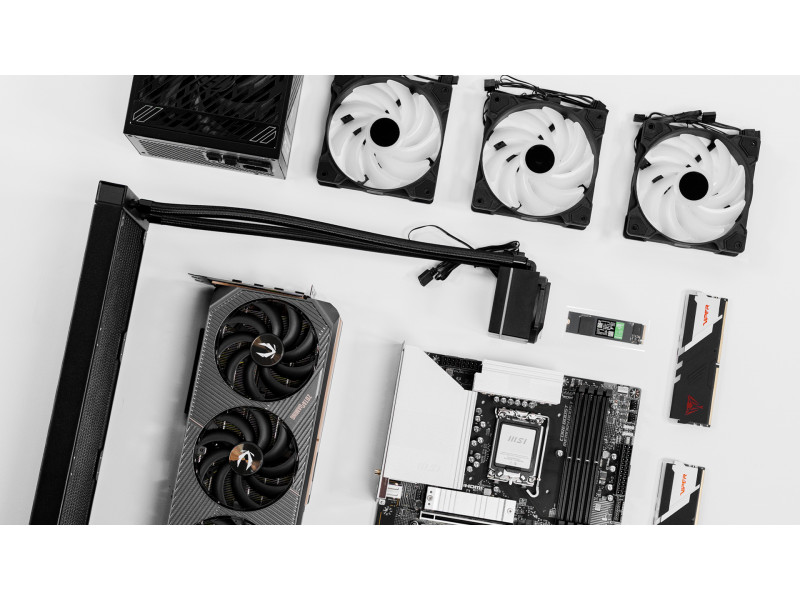
4TB SSD NVMe Storage for Faster Game Loads and Installs
A 4TB SSD NVMe is the upgrade that makes gaming feel lighter. Less waiting. Less deleting games to install new ones. Less “which title has to go” every time a big update lands. For anyone with a growing library, 4TB SSD NVMe storage is less about raw speed and more about freedom. It keeps the games you actually play installed and ready.
If the goal is a smoother experience without guessing what will fit, it’s worth starting with a modern baseline. Compare current build options on the Xidax homepage and look at systems designed for stable, high-performance storage. For an easy next step, browse Xidax gaming PCs and choose a configuration that matches your library size and refresh rate goals without constant storage juggling.
To keep the capacity discussion clear, a terabyte is a common unit used to measure digital storage. GeeksforGeeks explains it as a standard measurement for how much data a drive can hold. In practical terms, a 4TB SSD NVMe is built for people who want a full library ready to play.
4TB SSD NVMe: What Changes the Moment It’s Installed
A 4TB SSD NVMe changes day-to-day gaming in ways that are immediately noticeable.
1) Installs stop feeling like a chore
Modern games are huge. A 4TB SSD NVMe gives you the space and responsiveness to install, unpack, and update without constantly hitting storage limits.
2) Your library stays stable
A 4TB NVMe SSD for gaming lets you keep a healthy rotation of titles installed. That means fewer reinstalls, fewer shader rebuilds, and fewer interruptions.
3) The whole PC feels more responsive
Storage affects how “snappy” your system feels when you game with Discord, launchers, a browser, and background updates running.
If you want the clean explanation of why NVMe feels different, this guide on NVMe vs SSD makes it simple, especially if you’re comparing a 4TB NVMe SSD vs SATA SSD choice.
4TB SSD NVMe: Who Should Upgrade or Buy New
A 4TB SSD NVMe is the right move when the current setup is causing friction. The deciding factor is not whether you can “get by,” it’s whether you’re tired of managing storage.
1) Gamers with large libraries
If you constantly uninstall games you still play, a 4TB NVMe SSD upgrade fixes the problem at the root.
2) Players who hate mid-update surprises
Big patches often fail when you’re low on space. A 4TB SSD NVMe prevents the “not enough storage” wall.
3) Anyone considering a new system
If you’re already shopping, it often makes sense to buy a system that’s built around modern storage needs instead of patching an older rig.
A quick way to compare “upgrade” versus “buy” is to scan current configurations in prebuilt gaming PCs. If you want the cleanest experience, a prebuilt gaming PC with 4TB NVMe SSD storage removes compatibility guesswork and gives you a balanced build from day one.
4TB SSD NVMe: How to Choose the Right One Without Overthinking
People search for the best 4TB NVMe SSD because they want one clear answer. Here’s the confident truth: the best 4TB NVMe SSD is the one that fits your system and stays stable under your workload.
1) Confirm your motherboard supports NVMe
This is the foundation. If you’re researching a 4TB NVMe SSD compatible motherboard, you’re asking the right question. The M.2 slot must support NVMe (PCIe), not only SATA.
2) Know how you’ll use the drive
A simple plan that works:
- OS and core apps on one drive
- Games and launchers on a dedicated 4TB SSD NVMe
3) Don’t ignore heat
NVMe drives can run warm during heavy installs and large writes. Heat can reduce performance if airflow is poor. That’s why airflow is a system-wide performance factor, not only a CPU issue. This guide on preventing CPU thermal throttling and how airflow can affect performance covers the airflow principles that also protect storage performance in real-world gaming use.
4TB SSD NVMe: Desktop vs Laptop, Which Makes More Sense
A 4TB SSD NVMe works in both, but the buying logic changes.
1) Desktops make upgrades easier
A 4TB NVMe SSD installation in a desktop is usually straightforward. Desktops also offer better airflow and more flexibility for future upgrades.
2) Laptops require compatibility checks
A gaming laptop with 4TB NVMe SSD storage is a great setup for portability, but laptop upgrade paths vary. Always confirm the laptop supports the NVMe form factor and capacity you want. If you’re comparing portable options, browse gaming laptops and focus on models designed for performance and upgradeability.
4TB SSD NVMe Installation: A Simple Checklist
A 4TB NVMe SSD installation should feel clean, not chaotic. This is the order that prevents mistakes.
1) Power down properly
Shut down, unplug, and discharge power. This avoids accidental shorts and protects components.
2) Use the correct M.2 slot
Some boards have multiple M.2 slots. Use the one intended for NVMe PCIe drives.
3) Secure the drive
Install the screw. A drive that’s not seated properly can cause intermittent issues.
4) Set it up in software once
Format the drive, name it clearly, and set your launchers to install there by default. This is how you stop managing storage every week.
If you want the simplest route, skipping the install step entirely is valid. A prebuilt gaming PC with 4TB NVMe SSD storage means it arrives configured and ready, and you start gaming instead of troubleshooting.
Storage Comparison Table: 4TB NVMe SSD vs SATA SSD
|
Feature |
4TB NVMe SSD |
SATA SSD |
|
Connection |
PCIe via M.2 |
SATA cable |
|
Typical feel |
Snappier under heavy installs and multitasking |
Solid, but less responsive under heavy writes |
|
Best for |
Large libraries, big updates, modern workflows |
Basic upgrades, older systems, secondary storage |
|
Common buyer intent |
Best 4TB NVMe SSD, buy 4TB NVMe SSD |
Budget SSD upgrades |
If you’re still deciding, the NVMe vs SSD breakdown makes the difference easier to visualize without drowning you in spec sheets.
4TB SSD NVMe: When a Refurbished PC Is the Smarter Buy
If your current system is old enough that everything feels slow, a new drive helps, but it won’t modernize the whole platform. In that case, upgrading your foundation first can be the smarter move.
A well-chosen refurbished PC can give you a better baseline, and then a 4TB SSD NVMe becomes the upgrade that turns it into a library-friendly gaming setup. It’s a strong option for budget-focused buyers who still want modern storage behaviour.
4TB SSD NVMe: Where to Get More Build Ideas
For more guides like this, explore the Xidax blog. For build photos and setup inspiration, follow Xidax on Instagram. For longer build videos and PC performance content, the Xidax YouTube channel is the best place to dig in.
If You’re Going With a 4TB SSD NVMe, Pair it With Good Parts
A 4TB SSD NVMe is one of the most practical upgrades in gaming because it removes the friction you feel every week. It gives you space for modern installs and the responsiveness to keep your system feeling fast as your library grows.
If you’re ready to stop juggling storage and want a system built for big libraries from the start, compare modern builds on the Xidax homepage and choose a configuration through Xidax gaming PCs that matches how you actually play.
Frequently Asked Questions About 4TB SSD NVMe
1) Is a 4TB NVMe SSD for Gaming Worth It?
Yes. A 4TB NVMe SSD for gaming is worth it if you keep a large library installed, deal with frequent big updates, or hate uninstalling games to free space.
2) What’s the Best 4TB NVMe SSD?
The best 4TB NVMe SSD is the one that fits your platform and stays stable under sustained installs and updates. Compatibility and thermals matter more than chasing a spec sheet trophy.
3) What Should Be Checked for a 4TB NVMe SSD Compatible Motherboard?
Confirm the M.2 slot supports NVMe (PCIe), confirm you have an open slot, and check for lane-sharing notes in the motherboard manual.
4) Is a 4TB NVMe SSD Installation Hard?
No. A 4TB NVMe SSD installation is usually simple: power down, seat the drive in the correct M.2 slot, secure it, and format it in Windows.
5) How Does a 4TB NVMe SSD vs SATA SSD Choice Affect Gaming?
A 4TB NVMe SSD vs SATA SSD comparison usually favours NVMe for large installs, updates, and multitasking. SATA SSDs are still solid, but NVMe tends to feel faster under heavier use.
6) Should Someone Buy a Prebuilt Gaming PC With 4TB NVMe SSD Instead?
If your current platform is older or you want the simplest path, yes. A prebuilt gaming PC with 4TB NVMe SSD storage removes compatibility risk and delivers balanced performance from day one.
Disclaimer: The information provided in this blog post is for informational purposes only. Please verify all details before making any decisions. Product availability, prices, and weights are subject to change. All trademarks are the property of their respective owners. This content is not intended as legal, financial, or medical advice.